

How to Change a QR Code After Printing (and When You Can't)
A printed QR code can only be changed if it's dynamic. Here's how to check which kind you have, how to point it somewhere new, and your options if it turns out to be static.
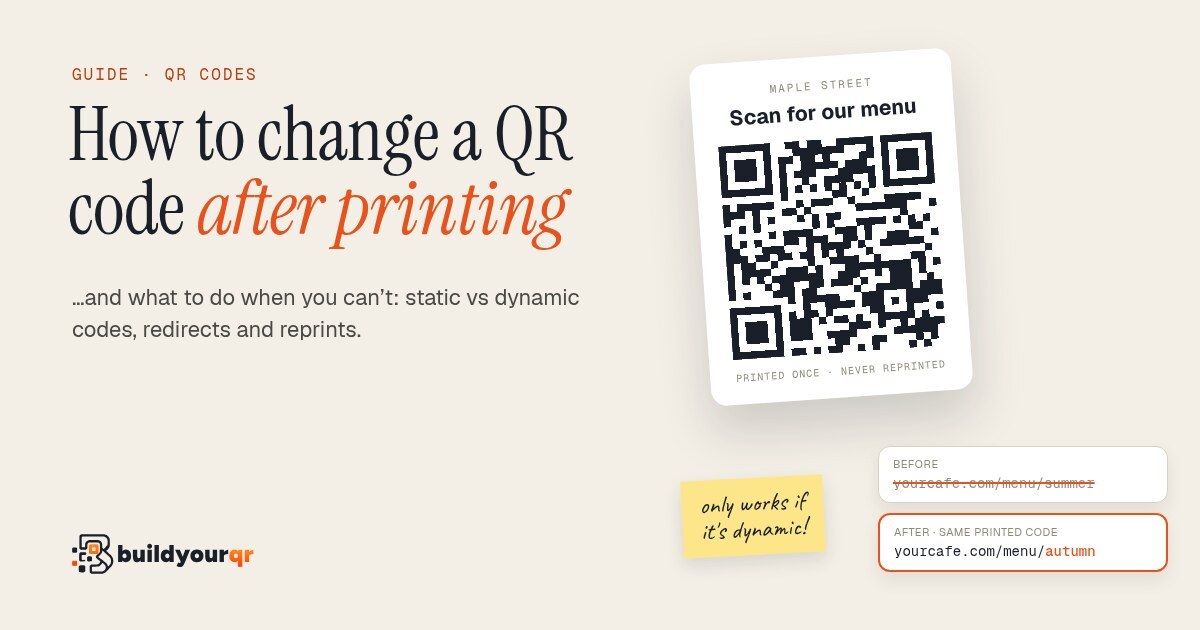
You can change where a printed QR code goes only if it's a dynamic QR code. A dynamic code holds a short link, and you edit where that link points in your QR account. The printed pattern never changes. A static code has the address baked into the pattern itself, so it can't be edited. You'd have to redirect that address or reprint.
That's the whole answer. The rest of this guide is how to tell which kind you have, how to make the change, and what to do if you're stuck with a static code on 5,000 flyers.
Static vs dynamic, in one minute
A QR code is just text stored as a pattern of squares. What matters is which text.
- Static: the pattern holds your final address, for example
https://yourcafe.com/menu-summer.pdf. Phones read it and go straight there. Nothing sits in between, so there's nothing to edit. - Dynamic: the pattern holds a short link that belongs to a QR service, for example
https://buildyourqr.com/q/Mn4vK2x. When someone scans it, the service looks up where that link should go right now and sends them there. Change the destination in your account and the next scan goes somewhere new.
| Static | Dynamic | |
|---|---|---|
| What's in the pattern | Your final address | A short link |
| Change it after printing | No | Yes, any time |
| Scan counts and analytics | No | Yes |
| Keeps working if the service disappears | Yes | Only while the short link is live |
| Cost | Usually free | Usually a subscription, often with a free tier |
Neither one is "better". Static is fine for things that never change, like your Wi-Fi password on a card behind the counter. Dynamic is for anything printed in bulk or printed somewhere expensive to redo: packaging, signs, menus, posters, business cards.
How to tell which kind you have
You don't need the original file. Scan the printed code with your phone camera and read the address it shows before you tap it.
- It shows your own full address (your domain, a long path, maybe a
.pdf). It's almost certainly static. - It shows a short link on someone else's domain, like a QR company or a link shortener. It's dynamic, or at least redirected, and whoever owns that account can change it.
- You're not sure who made it. Search your email for the domain in the short link. That's usually the quickest way to find which service, and which login, created it.
If the address is a short link but nobody on your team knows the login, sort that out first. A dynamic code is only as editable as your access to the account behind it.
How to change a dynamic QR code
The steps are nearly the same in every QR tool. In BuildYourQR:
- Log in and open QR codes.
- Find the code by its name and click Edit.
- Change the destination: a new web address for a link code, or new details for a contact card.
- Click Save.
That's it. The printed code stays exactly as it is, and the next scan goes to the new place. There's no delay to wait for: our short links redirect fresh on every scan and aren't cached by the phone, so an old destination doesn't linger on anyone's device.
Then test it properly. Scan the printed code, not the one on your screen, with two different phones, ideally one iPhone and one Android. Check that the new page loads on mobile data as well as on Wi-Fi. It takes two minutes and catches the usual mistakes, like a typo in the address or a page that's still private.
A few things that are worth knowing while you're in there:
- Your scan history stays with the code. Changing the destination doesn't reset the numbers, so you can compare how the old and new pages did.
- You can pause a code instead of pointing it somewhere random. Handy between seasons, or if a campaign ends early.
- The design is fixed once printed. You can change colours and the logo for future prints, but the ink that's already on paper stays as it is.
What to do if your code is static
This is the frustrating case, but you often have more options than a full reprint.
1. Redirect the address it points to (usually the best fix)
If the static code points to your own website, you don't need to touch the code at all. Make the old address send visitors to the new one with a permanent redirect (a "301"). Whoever manages your site can usually set one up in a few minutes, and most website builders have a "redirects" or "URL forwarding" setting.
Anyone who scans the old code lands on the new page. This works for as long as you keep the redirect and the domain, so make a note somewhere that it exists and why. The day someone "tidies up" old redirects is the day those flyers stop working.
2. Check whether the link is a short link you control
If the code points to a link shortener rather than your own site, log in to that shortener. Some let you edit where a link goes, often only on paid plans. If yours does, you've effectively got a dynamic code already.
3. Cover it
For signs, menus and packaging still in stock, a sticker with a new dynamic code over the old one is cheap and fast. Make the sticker slightly bigger than the old code so no part of the old pattern peeks out. A half-covered code can confuse the camera.
4. Reprint, and make the new one dynamic
Sometimes the old address is on a domain you no longer own, or on a platform that's gone. Then there's nothing to redirect, and reprinting is the honest answer. If you reprint, use a dynamic code so this is the last time.
How to avoid this next time
- Use a dynamic code for anything printed more than a handful of times. The price of one reprint usually covers a long stretch of a paid plan, and many services, including ours, have a free tier for a few codes.
- Point dynamic codes at a page you control, not directly at a file that might get renamed. For example, point to
/menurather than/menu-summer-v3-final.pdf. - Keep the account login where the team can find it. Put it in your password manager, not one person's inbox.
- Check what happens if you stop paying. Some services switch codes off when a plan ends. On BuildYourQR, if you downgrade, codes you already made keep working. You just can't make new ones past the free limit.
- Print a test copy at the real size and scan it before the full run.
Quick answers
Does changing the destination change how the QR code looks? No. A dynamic code's pattern only holds the short link, and that never changes. You can edit the destination as often as you like.
How long does the change take to show up? With BuildYourQR, it applies from the next scan. Other services vary, so test after saving.
Can I turn a static code into a dynamic one? Not the printed one: the address is fixed in the pattern. If it points to your own site, a redirect gives you the same result. Otherwise, make a new dynamic code for the next print.
Can I change a QR code on something I've already sent out, like printed invoices or product boxes? Yes, if it's dynamic. That's the main reason to use dynamic codes on anything that stays in the world for a long time.
Is it free? Making a static code is free, and you can make one with our free QR code generator. Changing a code after printing needs a dynamic code. BuildYourQR's free plan includes five, and you can edit where they point as often as you want.
If you're about to print something and want the option to change it later, start with a dynamic QR code. It takes about three minutes, and the code you print today can point somewhere new next month.